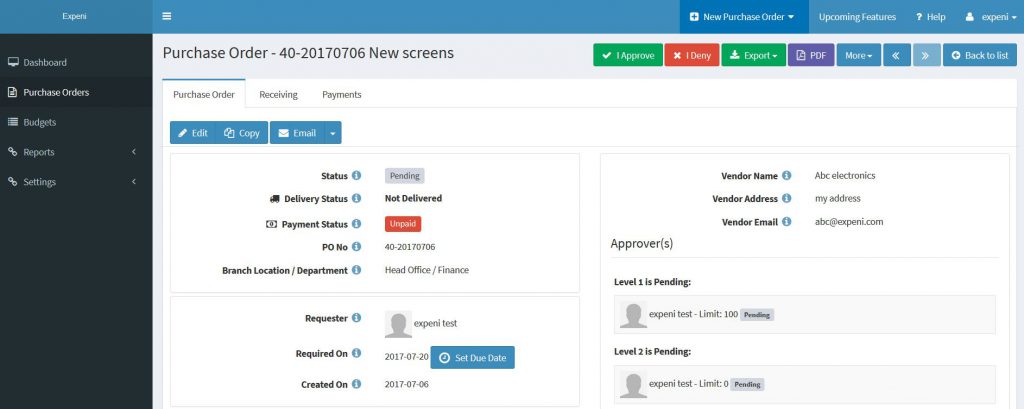
Approve a Purchase Order
Only approvers can approve purchase orders. Normally, system sends a purchase order approval request email notification to the approvers. In the approval request email, summary (total vs remaining balance) of the budgets, purchase order PDF and all attachments uploaded with the purchase order are included.
To approve a purchase order complete the following steps:
1 – Go to Purchase Orders page
2 – Click on Pending My Approval filter. This filter lists all purchase orders pending your approval.
3 – Click on the purchase order you want to approve
4 – Click on I Approve (green button) or I Deny (red button)